



When browsing e-commerce sites, customers decide in 3 seconds. In that brief moment, product images need to do more than just show the item – they need to provide an immediate visual impression that feels tangible, premium, and trustworthy.
Without natural shadows, products look like flat, floating stickers. Shadows restore physics—giving products the premium, 3D gravity that triggers the subconscious desire to buy. However, manually adding shadow to images in Photoshop for hundreds of listings is a massive e-commerce bottleneck. This is where automation changes the game.
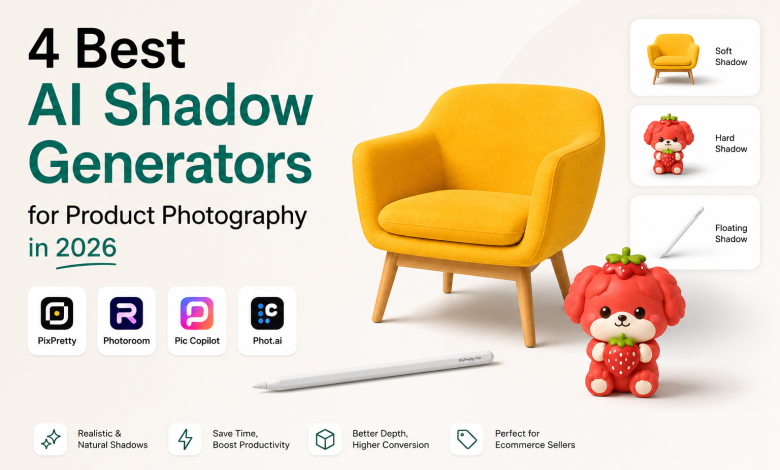
In this article, I will test 4 popular AI shadow generators to see which editor create the most realistic shadows for ecommerce product images while helping sellers speed up their editing workflow, boosting sales within a few clicks.
Quick Verdict: The 4 AI Shadow Image Tool I Tested
| Tool Name | Ease of Use | Speed | Output Quality | Pricing |
| PixPretty | ★★★★☆ | 20 sec per image | ★★★★★ | Free · Starts at $12 for 200 credits |
| Photoroom | ★★★★☆ | 15 sec per image | ★★★★★ | Free · Starts at $5.99 for 125 credits |
| Pic Copilot | ★★★★★ | 45 sec per image | ★★★☆☆ | Free · Starts at $14.9 for 2000 Pcoins |
| Phot.ai | ★★★☆☆ | 20 sec per image | ★★★☆☆ | Free · Starts at $49 for 500 credits |
How To Pick A Good AI Shadow Maker
Shadow Style Customization: A good AI shadow generator should offer multiple shadow styles – such as soft, hard, floating, and drop shadows, along with flexible controls for intensity, blur, direction, and positioning to match different commercial product visuals styles.
Object Understanding: Advanced AI shadow tools can analyze an object’s shape, structure, and lighting to generate natural-looking shadows grounding shadows on pictures. This is especially important for complex products like furniture, toys, and collectible figures.
Workflow Efficiency: For e-commerce sellers, speed matters. A good AI shadow maker should have a simple workflow with minimal page switching and allow users to add shadows to a product image in under 30 seconds.
4 Best Free Shadow Generators I Tested in 2026
1. PixPretty AI Shadow
Best For: AI shadow generation for e-commerce product images.
Key Features
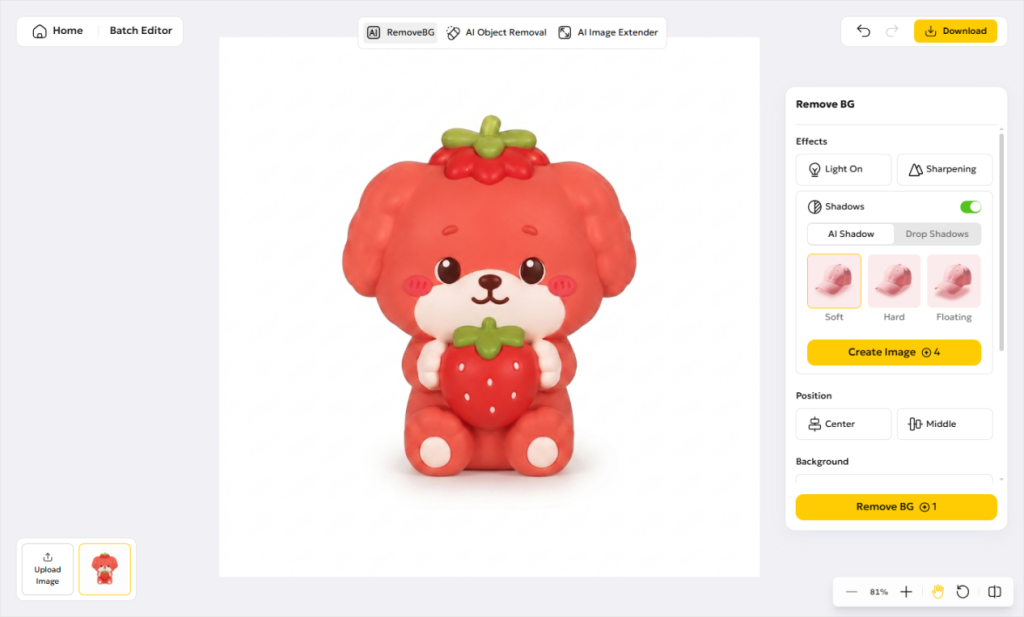
- All-in-one AI editor with background removal, AI backgrounds, and AI shadow generation
- Supports both AI shadows(soft, hard, floating) and drop shadow effects
- Quick access to ecommerce image editor like Batch Editor, AI Background, and AI Image Extender for faster product image editing
Overall Experience: 4.6/5
- The picture shadowing workflow can be completed on a single page, with quick image re-upload button on the bottom-left corner.
- If the generated result isn’t satisfactory, users can easily return to the previous design using the undo button. No credits consumed before clicking the “Create” button.
- In most cases, it takes 1-3 generations to achieve the perfect result. The AI Background feature also supports text prompts for more controllable product scene generation.
2. Photoroom
Best For: Create lifelike shadows on large products like furniture and vehicles.
Key Features
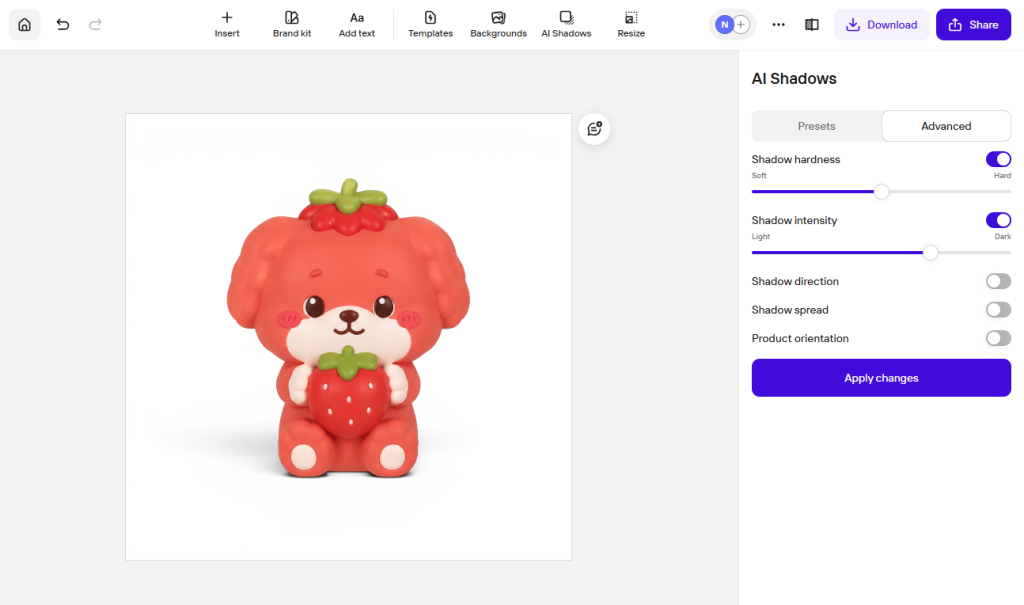
- 3 built-in shadow styles: Soft, Hard, and Floating Shadows
- Advanced shadow controls for hardness, intensity, direction, and spread
- Real-time shadow generation when repositioning products
- Separate shadow and object layers for flexible editing
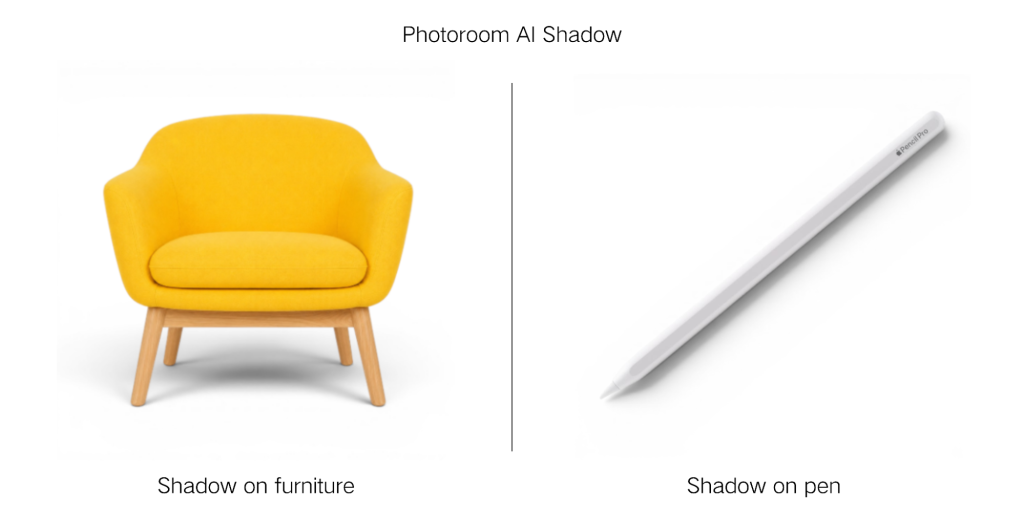
Overall Experience: 4.4/5
- The shadow effect for the first image is smooth, and also easy to adjust. However, when switching to edit a second product image, I had to exit the page and reopen the tool before generating a new shadow, which slightly interrupts the editing workflow.
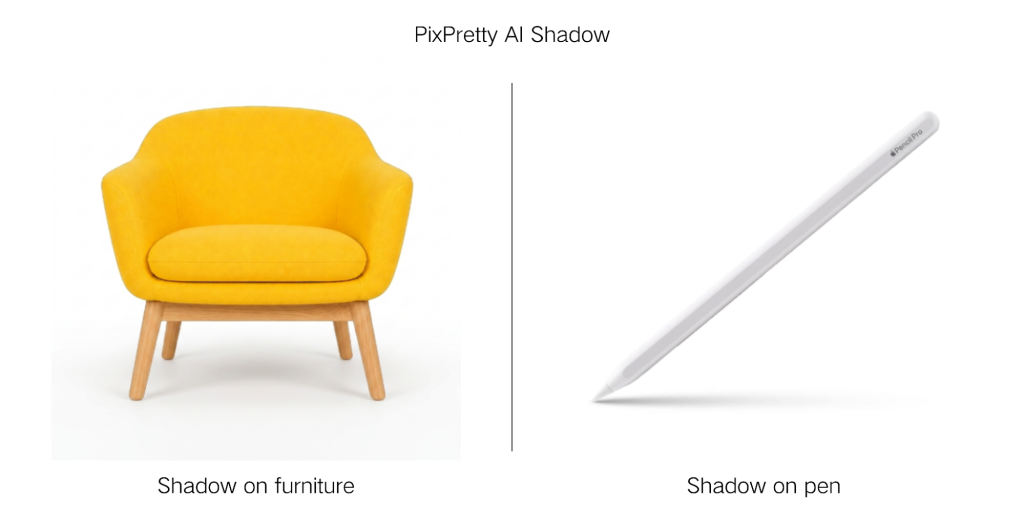
- The grounding shadows look surprisingly accurate. Even for structurally complex objects like furniture, the editor accurately generates both directional shadows and soft ambient shadow diffusion.
- One downside is the credit system. Switching between different shadow styles triggers a new generation each time — even if the shadow was already generated previously. Clicking or repositioning the product also consumes additional credits because the shadow is re-rendered automatically.
3. Pic Copilot
Best For: A/B testing small products like figurines and plush toys, as well as creating listings for second-hand items.
Key Features
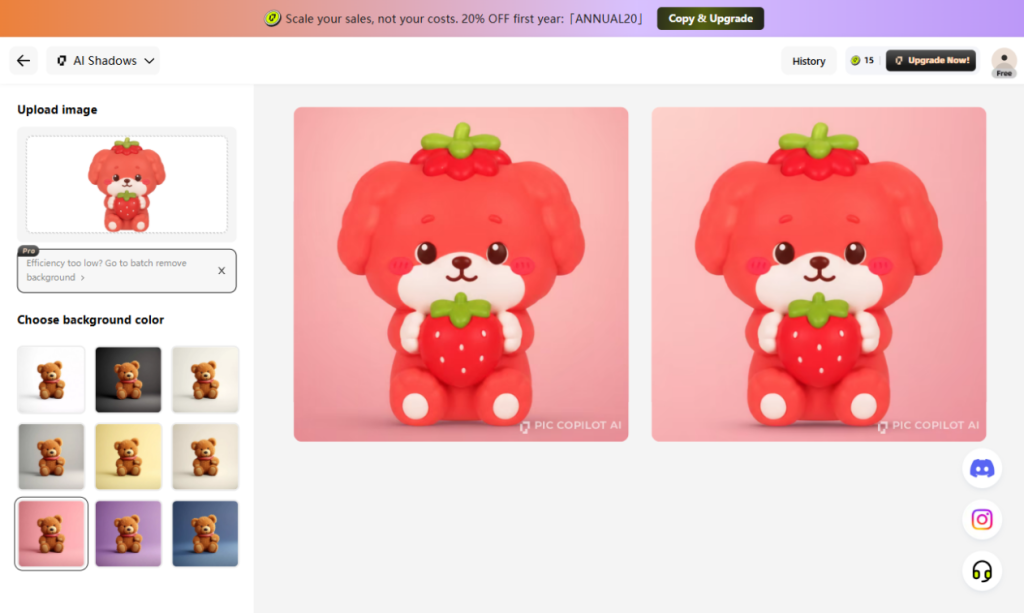
- 9 preset solid-color backgrounds
- Automatically removes backgrounds and applies new backgrounds with shadows
- Generate 2 shadow variations with a single click
Overall Experience: 4.3/5
- Extremely easy to use – simply upload an image and select a background color to generate product photos with shadow effect. However, the rendering speed is relatively slow.
- The AI-generated shadows are solid for most products, especially objects with clear structures and depth. However, it creates weird flat shadow when handling items like jewelry & accessories. Sometimes it would add strange detail to the original object.
- The tool only supports a standard soft shadow effect.
- Watermark-free downloads require a paid subscription.
4. Phot.ai
Best For: Creating sticker-style visuals for small accessories and flat products.
Key Features
- AI background removal within 20 seconds
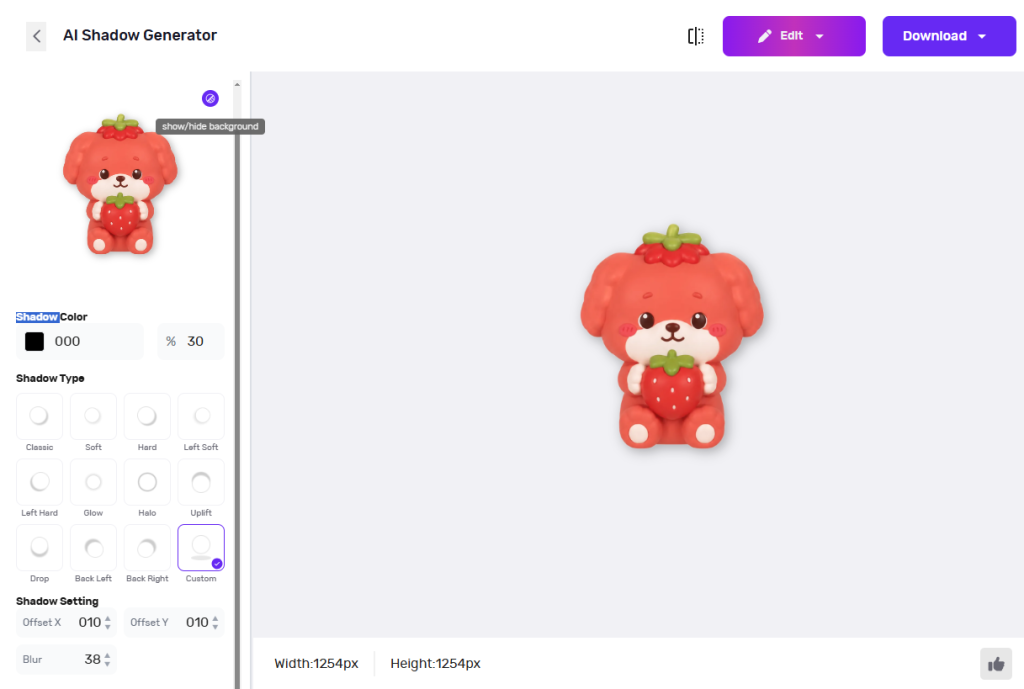
- Real-time shadow preview with adjustable X/Y positioning, blur intensity and shadow color
- 11 types of shadow presets included
Overall Experience: 3.8/5
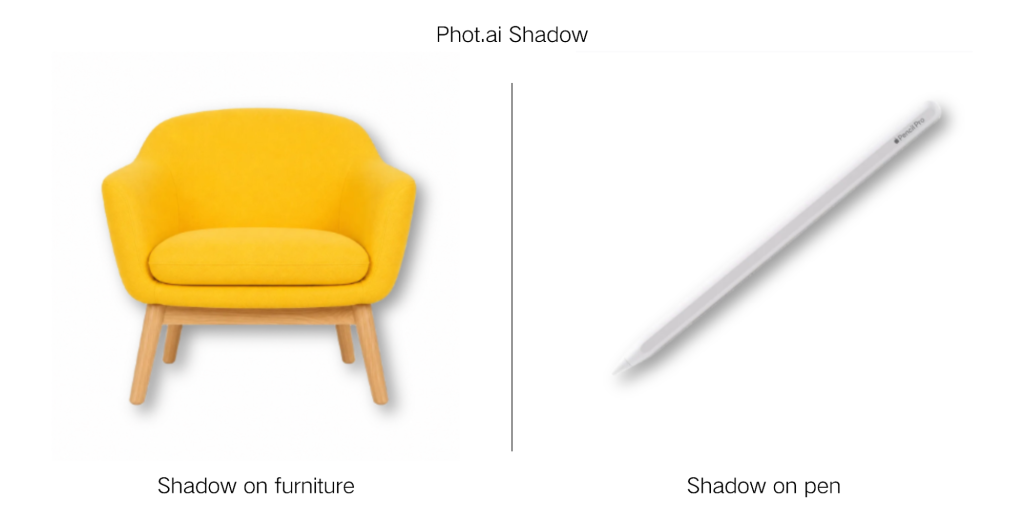
- This shadow maker relies more on background removal AI than true object-aware shadow generation. Instead of understanding the product’s structure and depth, the shadow effect is primarily based on the outer silhouette of the image – similar to the flat drop shadow tools commonly found in Adobe editing software. The advantage is that shadow adjustments are fast and highly responsive in real time.
- Among all the tools tested, this was the only one that offers shadow color customization. For flat products like stickers, packaging designs, or playful graphic-style product images, it can still be a fast and convenient option.
Why Product Shadows Improve Ecommerce Conversions
Create a Tangible, Realistic Shopping Experience
Shadows help the human brain perceive light, distance, and texture. In e-commerce product photography, shadows transform flat, floating cutout images into products that feel grounded, tangible, and physically present. This added depth helps customers better understand a product’s shape, scale, and texture, which influences the purchase decisions.
Build Brand Trust and Reduce Return Rates
Consistent, high-quality shadows also signal professionalism and attention to detail, increasing perceived product quality and brand trust. 71% of shoppers have returned a product because it didn’t match the online images or description(Salsify). Product shadows provide more accurate visual cues, helping shoppers form clearer expectations before purchasing.
Driving Focus and Elevating Perceived Value
Shadows create the vital visual contrast needed to make your product “pop” off the screen, effortlessly guiding the customer’s eye to its key features. For high-end items like jewelry and luxury watches, specific techniques – such as reflection shadows – inject an instant sense of premium elegance. This single adjustment elevates perceived value, allowing brands to command higher pricing. The proof is in the data: optimized product images with shadows can boost CTR by 15-20% (Neil Patel) and drastically drive up conversion rates.
Q&A of AI Shadow
1. What’s the Difference Between an AI Shadow Generator and a Traditional Shadow Editor?
Traditional shadow editors can only create drop shadows like copy&pasting the object, while AI shadow generators automatically analyze lighting, object depth, and product structure to create natural-looking grounding shadows in seconds.
2. Why Do Some Product Image Shadows Look Artificial?
Product shadows often look fake when the lighting direction and shadow placement don’t match. An intelligent AI shadow generator can analyze the product’s structure and light source to add realistic shadows to images automatically, creating more natural-looking e-commerce product photos.