

Managing successful growth can be as challenging as achieving it in the first place. Many organizations struggle when they cross the 500-employee threshold because the HR tools that worked for 200 people suddenly break under the weight of complexity, multiple locations, and sophisticated people programs.
As a project manager and HR technology analyst, I’ve noted a rising demand for solutions that tackle these challenges directly. Leveraging my expertise in HR software evaluation, I’ve tested and reviewed several leading HR management platforms to help teams identify the best solutions for this critical growth stage.
Whether you’re looking to introduce a new platform or upgrade your existing toolkit, my guide will help you make informed decisions to enhance your team’s performance and support sustainable growth past 500 employees.
Why Trust Our Software Reviews
I’ve been evaluating HR management software and working with scaling companies since 2015. As someone who has implemented HRIS platforms at organizations ranging from 300 to 3,000 employees, I know how critical it is to make the right decision when selecting software for this growth stage.
I’ve tested dozens of HR platforms specifically for mid-sized companies scaling past 500 employees and written comprehensive reviews based on hands-on experience with each system. Learn how we maintain transparency in our review methodology.
Table of Contents
- Best HR Management Systems Shortlist
- Compare Specs
- Best HR Management Systems Reviews
- Other HR Management Systems
- Selection Criteria
- How to Choose
- What is HR Management Software?
- Features
- Benefits
- Costs and Pricing
- FAQs
Best HR Management Systems for Scaling Companies Shortlist
Here’s my pick of the 10 best HR management systems from the platforms reviewed:
- HiBob — Best for analytics-driven people management at scale
- Workday HCM — Best for enterprise-grade workforce planning
- BambooHR — Best for straightforward implementation
- ADP Workforce Now — Best for payroll-first organizations
- Namely — Best for benefits-heavy organizations
- Paycor — Best for performance visibility across teams
- UKG Pro — Best for shift-based workforce management
- SAP SuccessFactors — Best for global talent management
- Rippling — Best for IT-HR integration
- Gusto — Best for simplicity-focused teams
Best HR Management Systems Summary
We’ve investigated the pricing and availability of free trials and demo versions so you can make a simpler side-by-side comparison.
| Tool | Best For | Trial Info | Price |
| HiBob | Analytics-driven people management at scale | Free demo available | Custom pricing |
| Workday HCM | Enterprise-grade workforce planning | Free demo available | Enterprise quotes |
| BambooHR | Straightforward implementation | Free demo available | Custom pricing |
| ADP Workforce Now | Payroll-first organizations | Free demo available | Custom pricing |
| Namely | Benefits-heavy organizations | Free demo available | Custom pricing |
| Paycor | Performance visibility across teams | Free demo available | Custom pricing |
| UKG Pro | Shift-based workforce management | Free demo available | Custom pricing |
| SAP SuccessFactors | Global talent management | Free demo available | Starts at $6.30/user/month |
| Rippling | IT-HR integration | Free demo available | Custom pricing |
| Gusto | Simplicity-focused teams | Free trial available | Starts at $49/month |
Best HR Management Systems Reviews
This section provides an in-depth analysis and overview of various HR management systems for companies scaling past 500 employees in 2026.
1. HiBob
Best for analytics-driven people management at scale
HiBob is a comprehensive people management platform designed specifically for mid-sized companies scaling rapidly. Built for organizations between 200-3,000 employees, it helps you coordinate complex people operations across multiple locations while maintaining the agility and culture of a growing company.
Why I Picked HiBob
I picked HiBob because it strikes the perfect balance between enterprise-grade capabilities and mid-market usability. Its people analytics dashboards give you real-time visibility into retention trends, compensation equity, and performance distribution—insights that actually inform strategic decisions rather than just track headcount. I also found its global capabilities particularly impressive, supporting multi-country operations without requiring separate systems per region.
HiBob Standout Features
In addition to its standout analytics capabilities, HiBob offers several features that enhance your team’s HR management:
- Customizable workflows: Automate onboarding, performance cycles, and approval processes with visual workflow builders
- Multi-country support: Handle varying employment types, local compliance, and regional HR practices seamlessly
- Performance management: Run structured review cycles, continuous feedback, and development planning in one integrated system
- Culture and engagement tools: Drive connection through surveys, recognition, social feeds, and two-way communication
Integrations
Integrations include ADP, Gusto, Greenhouse, Lever, Workable, BambooHR, Slack, Microsoft Teams, Google Workspace, Okta, OneLogin, and 80+ other platforms.
Pros and Cons
Pros:
- Modern interface drives high adoption without extensive training
- Deep people analytics inform strategic workforce decisions
- Scales effectively across countries and complex structures
- Combines HR operations with culture and engagement
Cons:
- Custom pricing requires sales conversations
- Might be too feature-rich for smaller teams
Pricing: Custom pricing based on employee count and selected modules
2. Workday HCM
Best for enterprise-grade workforce planning
Workday HCM is the enterprise platform that organizations implement when preparing for significant scale or operating with enterprise-level complexity. It offers massive depth across HR, finance, and planning with sophisticated capabilities for handling complex organizational structures.
Why I Picked Workday
Workday made my list because it provides the foundation for companies scaling from 500 to 5,000+ employees. Its workforce planning and analytics capabilities are unmatched—you can model complex scenarios around headcount, skills, budgets, and organizational changes. For companies with multi-entity structures or aggressive growth plans, Workday delivers the scalability needed to operate at enterprise levels.
Workday Standout Features
- AI-powered insights: Workday Illuminate speeds up routine work and surfaces workforce insights
- Unified platform: HR and finance run on the same data model for better alignment
- Advanced planning: Model complex workforce scenarios and strategic changes
- Employee journeys: Guide employees through key moments with personalized experiences
Integrations
Workday integrates with major payroll providers, benefits platforms, recruiting systems, and thousands of applications through its extensive marketplace.
Pros and Cons
Pros:
- Extremely deep functionality for complex global requirements
- Advanced workforce planning and scenario modeling
- Scales seamlessly to enterprise levels
- Strong finance-HR integration
Cons:
- Long, expensive implementations (6-12 months typical)
- Requires dedicated administrative resources
- Often more system than mid-sized teams need
- Steeper learning curve than modern platforms
Pricing: Enterprise quotes; contact Workday for pricing
3. BambooHR
Best for straightforward implementation
BambooHR built its reputation on being the most approachable HR platform for growing companies. It provides clean, intuitive workflows for core HR functions with minimal learning curve and fast implementation timelines—ideal for teams that want to replace spreadsheets quickly.
Why I Picked BambooHR
BambooHR stands out for implementation speed and ease of use. For organizations scaling past 500 employees who prioritize getting a system up and running quickly over complex customization, BambooHR delivers. The interface is familiar to anyone who uses modern software, and teams can become productive within days rather than months.
BambooHR Standout Features
- Quick implementation: Get up and running in days or weeks, not quarters
- Employee satisfaction surveys: Track engagement and wellbeing with built-in eNPS surveys
- Applicant tracking: Integrated ATS for coordinated recruiting workflows
- Mobile accessibility: Full-featured mobile app for on-the-go HR management
Integrations
BambooHR integrates with major payroll providers, benefits platforms, time tracking systems, and popular business applications.
Pros and Cons
Pros:
- Intuitive interface drives quick adoption
- Fast implementation with minimal consulting
- Strong U.S. market presence and support
- Clean, modern user experience
Cons:
- Limited to U.S. operations for integrated payroll
- Basic analytics without workforce planning capabilities
- Customization constraints as complexity grows
- Reporting doesn’t meet all advanced requirements
Pricing: Custom pricing; contact BambooHR for quotes
4. ADP Workforce Now
Best for payroll-first organizations
ADP Workforce Now brings decades of payroll expertise to mid-sized companies. For organizations where payroll precision and compliance are paramount—particularly in regulated industries like healthcare or financial services—ADP provides confidence backed by established infrastructure.
Why I Picked ADP
I selected ADP Workforce Now for its unmatched payroll credibility and compliance capabilities. If your organization operates in heavily regulated industries or across multiple states with complex tax requirements, ADP’s compliance infrastructure and audit trails provide reassurance that standard HRIS platforms can’t match.
ADP Standout Features
- SmartCompliance: Specialized compliance tools for ACA, garnishments, tax credits, and complex payroll rules
- DataCloud benchmarking: Compare your metrics against anonymized data from millions of employees
- Global payroll: Support for 140+ countries through Celergo and GlobalView solutions
- Tax expertise: Continuous calculations and automated filing across all jurisdictions
Integrations
ADP integrates with hundreds of business applications through its marketplace, including time tracking, benefits, recruiting, and productivity tools.
Pros and Cons
Pros:
- Deep compliance credibility in regulated industries
- Comprehensive payroll integration and accuracy
- Reliable audit trails for documentation
- Established support network
Cons:
- Dated user interface compared to modern platforms
- Limited people analytics beyond compliance reporting
- Modules can feel disconnected
- Pricing lacks transparency
Pricing: Custom pricing; contact ADP for quotes
5. Namely
Best for benefits-heavy organizations
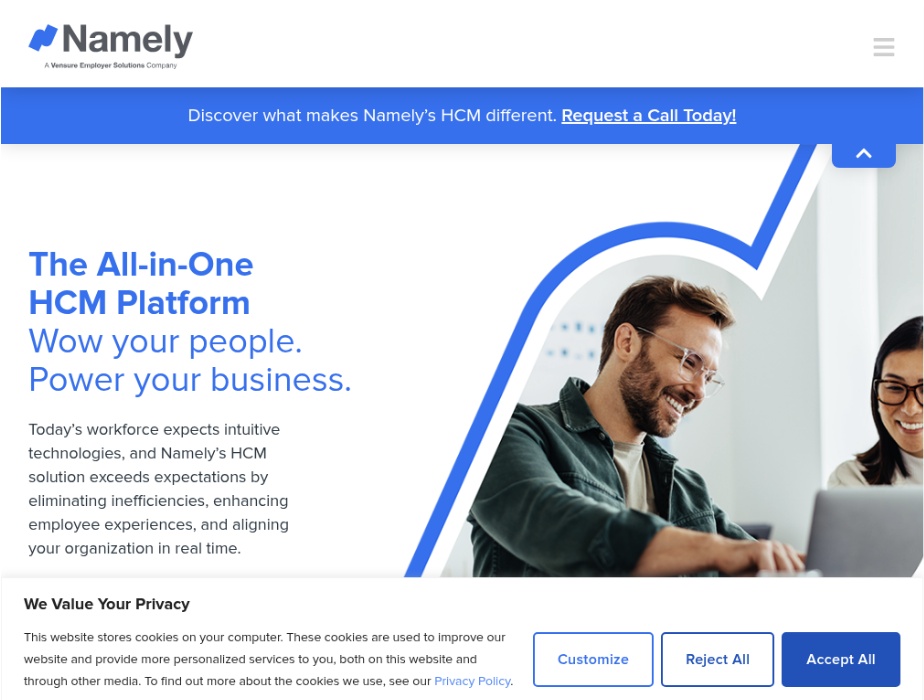
Namely combines HR, payroll, benefits, and time tracking with particularly strong benefits administration capabilities. For teams managing complex benefit structures or frequent open enrollment cycles, Namely offers more robust benefits features than most competitors.
Why I Picked Namely
Namely made my list because of its comprehensive benefits administration, which exceeds what most HRIS platforms provide. If your organization offers complex benefit plans across multiple carriers or dedicates significant resources to benefits management, Namely’s specialized capabilities can streamline these processes effectively.
Namely Standout Features
- Advanced benefits administration: Robust tools for managing complex benefit structures and enrollments
- Social employee hub: Feed-based communication for announcements, celebrations, and company updates
- Compliance guidance: Access to HR and compliance experts alongside software tools
- Managed services: Optional managed HR and payroll services for additional support
Integrations
Namely integrates with major benefits carriers, payroll providers, time tracking systems, and business applications.
Pros and Cons
Pros:
- Comprehensive benefits administration features
- Centralized platform for core HR workflows
- Access to compliance experts, not just software
- Familiar interface for traditional HR teams
Cons:
- Limited analytics for workforce planning
- Interface feels dated compared to newer platforms
- Performance management lacks depth
- Implementation can take longer than expected
Pricing: Starts at $9/user/month; contact Namely for full pricing
6. Paycor
Best for performance visibility across teams
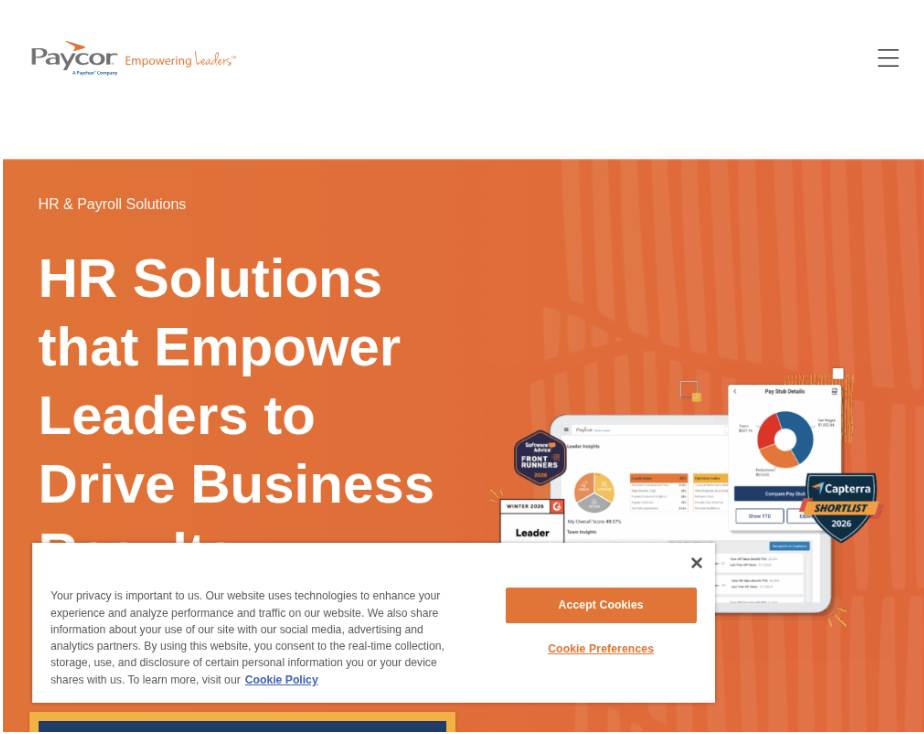
Paycor positions itself around workforce performance and analytics, offering better visibility into how people operations perform across growing organizations. It brings together core HR with performance tools and manager-focused dashboards designed to surface actionable insights.
Why I Picked Paycor
I selected Paycor for its emphasis on performance visibility and manager enablement. For companies scaling past 500 employees where manager effectiveness becomes critical, Paycor’s dashboards and analytics help managers make better decisions about their teams without getting lost in administrative tasks.
Paycor Standout Features
- Manager dashboards: Surface team performance insights and workforce analytics
- Performance management: Tools that exceed basic review cycles
- Workforce analytics: Better reporting capabilities than entry-level platforms
- Talent development: Integrated tools for growing and developing teams
Integrations
Paycor integrates with time tracking systems, benefits platforms, payroll providers, and business applications.
Pros and Cons
Pros:
- Stronger analytics than basic HRIS platforms
- Manager-friendly performance dashboards
- Focus on workforce data and insights
- Performance management exceeds basic offerings
Cons:
- Interface feels more administrative than people-centric
- Advanced features often require package upgrades
- Customer support experiences vary
- Data doesn’t always translate to actionable insights
Pricing: Custom pricing; contact Paycor for quotes
7. UKG Pro
Best for shift-based workforce management
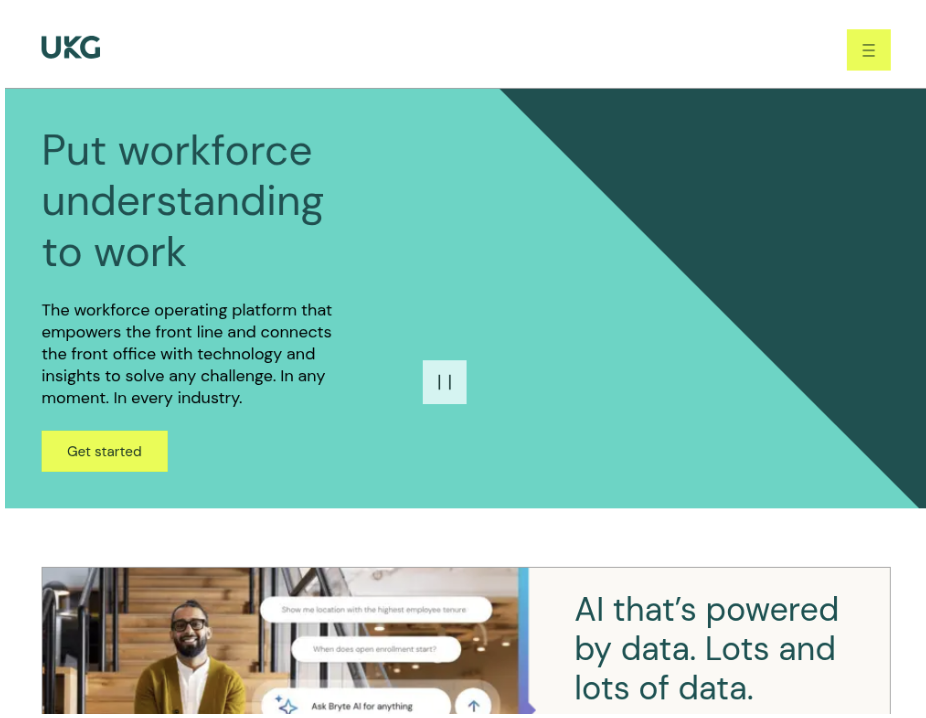
UKG Pro combines HR and workforce management, making it particularly relevant for organizations with significant shift-based, hourly, or compliance-heavy workforces. Industries like manufacturing, healthcare, and hospitality often find strong value in UKG’s integrated approach.
Why I Picked UKG Pro
UKG Pro made my list because it handles workforce management complexity better than general-purpose HRIS platforms. For organizations where scheduling, time tracking, and labor compliance are as critical as HR administration, UKG offers integrated capabilities that eliminate the need for separate systems.
UKG Pro Standout Features
- AI-powered scheduling: Forecast staffing needs and build optimized schedules
- Compliance attestation: Built-in prompts for meal breaks, symptoms, and regulatory requirements
- Workforce analytics: People-first AI surfaces patterns around staffing, overtime, and risk
- Time and attendance: Comprehensive tools for tracking hours, breaks, and compliance
Integrations
UKG Pro integrates with payroll systems, benefits platforms, recruiting tools, and business applications.
Pros and Cons
Pros:
- Strong workforce management capabilities
- Purpose-built for shift-based operations
- Robust labor compliance features
- Integrates time and HR data effectively
Cons:
- Interface feels outdated compared to modern platforms
- Steep learning curve for managers
- Implementation can be complex
- Less relevant for primarily salaried workforces
Pricing: Custom pricing; contact UKG for quotes
8. SAP SuccessFactors
Best for global talent management
SAP SuccessFactors is a comprehensive HCM suite spanning core HR, talent management, learning, succession planning, and workforce analytics. For companies already invested in SAP systems or operating complex global structures, it provides deep integration and scalability.
Why I Picked SAP SuccessFactors
SuccessFactors made my list for its global talent management capabilities. If your organization operates across multiple countries with complex talent programs—recruiting, development, succession planning, learning—SuccessFactors offers depth and global readiness that general-purpose HRIS platforms can’t match.
SAP SuccessFactors Standout Features
- Employee Central: Flexible core HRIS supporting global operations and local requirements
- Talent suite: Comprehensive recruiting, onboarding, performance, compensation, and succession tools
- Learning management: Integrated learning and development capabilities
- Workforce analytics: Advanced analytics and planning tools for strategic decisions
Integrations
SAP SuccessFactors integrates deeply with SAP ecosystem and connects with major business applications through extensive marketplace.
Pros and Cons
Pros:
- Comprehensive global HCM capabilities
- Strong SAP ecosystem integration
- Extensive talent management modules
- Handles complex structures effectively
Cons:
- Enterprise-level implementation complexity
- Expensive for mid-market budgets
- User experience lags modern platforms
- Requires dedicated administrative resources
Pricing: Starts at $6.30/user/month for modules; contact SAP for complete pricing
9. Rippling
Best for IT-HR integration
Rippling is a workforce platform built around automation, especially for tasks sitting between HR and IT. It’s designed for teams constantly provisioning laptops, logins, and permissions for new hires, role changes, and departures—ideal for remote and hybrid workforces.
Why I Picked Rippling
I selected Rippling for its unique IT-HR integration capabilities. For companies scaling past 500 employees with distributed teams, the ability to automate device management, access controls, and app provisioning alongside HR workflows can significantly reduce administrative overhead.
Rippling Standout Features
- Device management: Manage Mac, Windows, iOS, and iPadOS devices from one dashboard
- Identity and access: Automate account creation, SSO, MFA, and role-based permissions
- User provisioning: Automatic account setup and removal based on employment changes
- Workflow automation: Eliminate manual IT-HR coordination with automated processes
Integrations
Rippling integrates with hundreds of applications for payroll, benefits, productivity, security, and business operations.
Pros and Cons
Pros:
- Automation reduces IT-HR administrative work
- Strong device and identity management
- Ideal for remote and hybrid teams
- Comprehensive workflow capabilities
Cons:
- Can feel like overkill for simpler organizations
- Pricing increases with added modules
- Depth may overwhelm smaller teams
- Learning curve for full platform adoption
Pricing: Custom pricing; contact Rippling for quotes
10. Gusto
Best for simplicity-focused teams
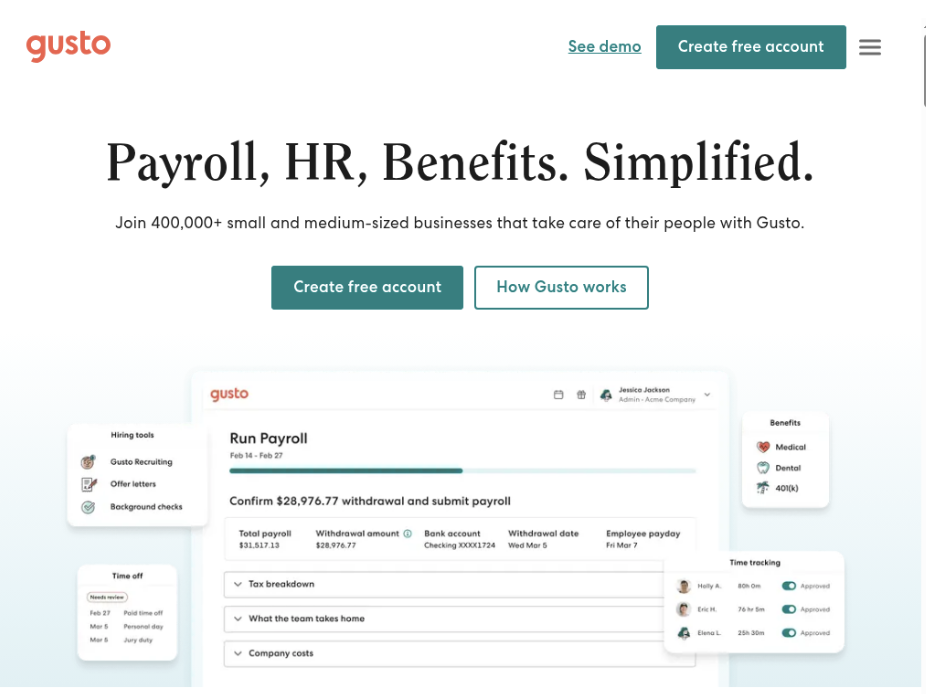
Gusto built its reputation serving small businesses and has extended reach into the lower end of the mid-market. It offers clean, user-friendly workflows for basic HR functions with transparent pricing—refreshing compared to enterprise vendors requiring extensive sales conversations.
Why I Picked Gusto
Gusto made my list as the simplicity option for organizations at the lower end of the 500-employee threshold. If your HR needs remain relatively straightforward and you value ease of use and transparent pricing over advanced capabilities, Gusto provides a solid foundation without unnecessary complexity.
Gusto Standout Features
- Unlimited payroll runs: Run payroll as often as needed without per-run charges
- Automated tax filing: Automatic calculation, filing, and payment of payroll taxes
- Time tracking integration: Hours worked flow directly into payroll
- Transparent pricing: Clear, published pricing without hidden fees
Integrations
Gusto integrates with time tracking, accounting, benefits, and productivity applications.
Pros and Cons
Pros:
- Very easy to use and implement
- Fast setup with minimal configuration
- Transparent, published pricing
- Good for lean HR teams
Cons:
- Limited analytics and advanced reporting
- Lacks depth for complex HR programs
- U.S.-only operations
- Teams often outgrow capabilities
Pricing: Starts at $49/month plus per-employee fees
Conclusions on Buying HR Management Software in 2026
The transition past the 500-employee mark is a critical inflection point where an organization’s approach to HR must evolve from purely operational to strategically integrated. The tools that served a smaller company will inevitably fail to support the complexity of multi-country compliance, advanced workforce planning, and distributed people management.
There is no single “best” platform, but HiBob has become the default HR Management Software for the Mid-market organizations in the US. Other platforms offer similar scalability and functionality, but often come with exorbitant price tags, implementation timelines, and bulky operational workflows.
As you define your must-have capabilities, remember that the total cost of ownership—including implementation complexity and ongoing administrative burden—often outweighs the monthly subscription fee alone. Choose the platform that aligns not just with your current headcount, but with the complexity and scale you anticipate reaching in the next three to five years.
How to Choose HR Management Software
As you work through your software selection process, keep the following points in mind:
Define your must-have capabilities. At 500+ employees, you likely need robust analytics, workflow automation, and multi-location support. Document your non-negotiable requirements—global capabilities, specific compliance needs, integration requirements—before evaluating platforms.
Involve managers in the selection process. Manager adoption determines HRIS success. Include frontline and middle managers in demos and pilots. They’ll use the system daily for team management, performance conversations, and workforce decisions. If managers find it clunky or unhelpful, adoption will suffer.
Evaluate total cost of ownership. Look beyond monthly subscription fees to include implementation costs, training time, integration expenses, and ongoing administration. A platform with a lower monthly fee but requiring extensive consulting can cost more over 3 years than a higher-priced platform with faster implementation and better support.
Test with real data and workflows. During trials, use actual employee data (anonymized if necessary) and real HR workflows. Generic demos don’t reveal how the platform handles your specific complexity—multi-state operations, complex org structures, unique approval chains.
Plan for integration requirements. Your HRIS should connect seamlessly with payroll, benefits, recruiting, and communication tools. Validate that native integrations exist or API access supports custom connections. Poor integration means manual data movement that undermines the value of a central system.
What is HR Management Software?
HR management software for companies scaling past 500 employees is a comprehensive platform that centralizes people data, automates HR workflows, provides workforce analytics, and supports complex organizational structures across multiple locations or countries.
These systems go beyond basic employee databases to provide strategic capabilities: workforce planning, performance management at scale, compliance across jurisdictions, and insights that inform business decisions about talent, organization design, and resource allocation.
Features of HR Management Software
Companies scaling past 500 employees need HR management systems with specific features to handle complexity:
Advanced people analytics: Track retention by manager and department, analyze compensation equity, monitor performance distribution, and model workforce scenarios for strategic planning.
Workflow automation: Automate onboarding, performance cycles, approvals, and job changes without requiring technical resources for configuration.
Multi-location support: Handle different labor laws, tax requirements, and HR practices across states, regions, or countries from one platform.
Manager enablement: Provide dashboards and insights that help managers make better decisions about their teams without administrative burden.
Role-based permissions: Control data access based on organizational hierarchy, ensuring appropriate visibility while protecting sensitive information.
Costs and Pricing of HR Management Software
Pricing for HR management systems varies significantly based on features, employee count, and vendor:
Plan Comparison Table
| Plan Type | Average Price | Common Features |
| Entry-level | $15-30/employee/month | Basic employee records, time off tracking, simple workflows |
| Mid-tier | $30-60/employee/month | Performance management, analytics, workflow automation, integrations |
| Enterprise | $60-150/employee/month | Advanced analytics, global support, dedicated support, custom features |
Total cost of ownership for a 500-person organization typically ranges from $90,000-$450,000 annually, including platform fees, implementation, training, and integrations.
FAQs About HR Management Systems
What’s the biggest challenge when scaling HR systems past 500 employees?
The biggest challenge is moving from operational to strategic HR while maintaining data quality and user adoption. At 500+ employees, you need systems that provide workforce insights and support complex operations, but only if managers and employees actually use them consistently.
How long does implementation take for 500+ employee organizations?
Implementation timelines vary dramatically by platform and organizational readiness. Purpose-built platforms like HiBob typically implement in 8-12 weeks. Enterprise platforms like Workday can take 6-12 months. The key factors are data quality, process clarity, and change management readiness.
Should we implement all modules at once or phase rollout?
Phase rollout typically works better for mid-sized companies. Start with core HR and basic workflows, achieve adoption, then add performance management, advanced analytics, and specialized modules. This approach reduces change management burden and allows learning from early phases.
What’s the difference between HRIS and HCM for companies our size?
The labels matter less than capabilities. Look for platforms that handle your requirements—core HR, analytics, performance management, global support—regardless of whether the vendor calls it HRIS or HCM.
How do we ensure manager adoption of the new system?
Focus on what the system does for managers, not to them. Configure dashboards that surface team insights, automate administrative tasks managers dislike, and provide training that emphasizes how the platform helps them lead more effectively.
What’s Next?
Want to dive deeper into HR technology for scaling companies? Explore our complete guide to people analytics or join our community of HR leaders managing 500+ employee organizations to share resources and best practices.
